 Auto Field Maps
Find your RPA field numbers on a map
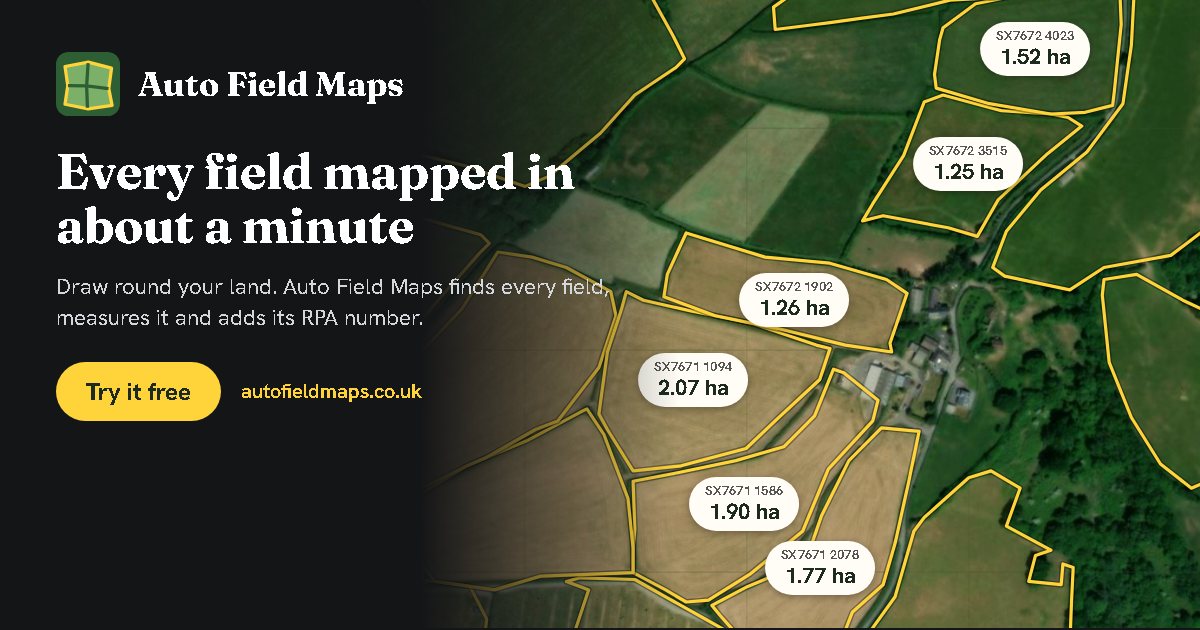
Every field on your farm in England, labelled with its Rural Payments Agency field number (its land parcel reference) and its size, on an aerial photo. Free, in your web browser.
See your field numbers: search for your farm, draw roughly around your land, and press Auto map fields.
Show my field numbersWhat an RPA field number looks like
Each parcel of land in England has a reference from the Rural Payments Agency, written like SX7671 3243:
- SX7671 is the 1 km Ordnance Survey grid square the parcel is in: two letters for the 100 km square, then two figures across and two up.
- 3243 picks out the parcel within that square, roughly by where its middle is.
Hedges, tracks and strips of woodland along a field can have numbers of their own, so a field's number is the one in its middle.
How to see them on your fields
- Find your land by postcode, farm name or place.
- Draw around your land. A rough outline is fine.
- Press Auto map fields. Leave Add each field's Rural Payments Agency field number ticked. Each field is found, measured and labelled with its number.
- Tap a field to see its number, size and crop. If two numbers fall inside one field, it is shown in red: a fence you cannot see from the air probably splits it, and you can split it with a fence or say which number it has.
Where the numbers come from
The numbers come from the Rural Payments Agency's own open data, RPA Parcel Points (England), which marks the middle of every registered land parcel with its reference. It is published under the Open Government Licence and updated about every six months, so a field registered or changed very recently may not show yet.
Crops are filled in from the Crop Map of England, also from the Rural Payments Agency, for last year's season. Check them for this year.
Use them in your records
- Download a spreadsheet with every field's number, size, crop and notes.
- Download a PDF map with a field list, to print or send.
- Send a field job to a contractor by link, with each field's number on it, and get a record back of what was done where.
Questions
What is an RPA field number?
It is the land parcel reference the Rural Payments Agency gives each parcel of land in England, such as SX7671 3243. The first part names the 1 km Ordnance Survey grid square the parcel is in; the four digits after it identify the parcel within that square.
Where can I find my field numbers?
They are on your land list and maps in your Rural Payments service account. To see them on a map with your field sizes, open Auto Field Maps, draw around your land and press Auto map fields: each field in England is labelled with its RPA field number.
Does it work in Wales or Scotland?
The fields are found and measured anywhere in the UK, but RPA field numbers are added only in England, as Wales and Scotland run their own systems. You can type any field number or name into a field yourself.
Auto Field Maps is not run by or connected with the Rural Payments Agency. For claims, always go by your Rural Payments service account.
Free, no account needed, and your maps stay on your device.
Show my field numbers