 Auto Field Maps
Field size calculator: measure a field in hectares or acres
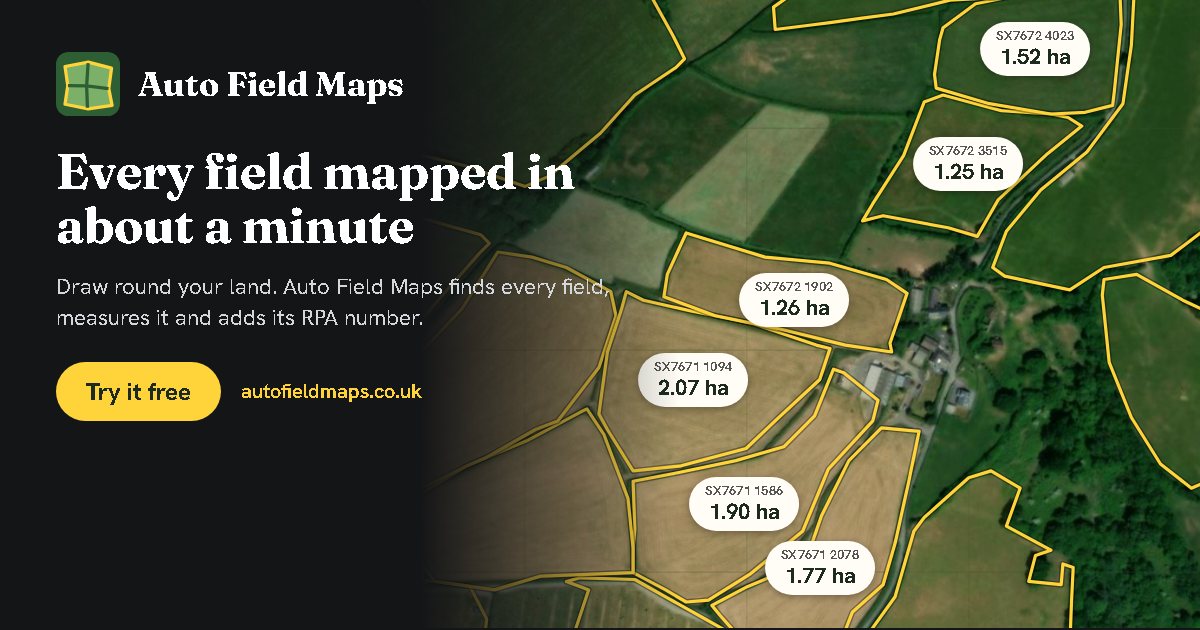
Find out how big a field is from the aerial photo, without walking it. Measure one field, or let Auto Field Maps find and measure every field on your farm at once. It is free and works on a phone, tablet or computer.
Measure your fields now: search for your farm, draw roughly around your land, and press Auto map fields.
Measure my fieldsHow to measure a field's size
- Find your land. Search for a postcode, a farm name or a place, or use your location.
- Draw around your land. Tap round the outside of your fields. It does not need to be accurate: go a little beyond the hedges so every field is inside.
- Press Auto map fields. Each field is found from the hedges, fences, walls, tracks and streams around it, and its size is shown on it.
- Check and adjust. Tap any field to see its size. Press Edit field to drag a corner if an edge is out, and the size updates as you go.
To measure a single field by hand instead, open Draw fields, hedges and fences by hand, choose Field, and tap round its edge. The size appears as soon as you close the outline.
Hectares, acres or square metres
Choose how sizes are shown under Show sizes in: hectares, acres, both, or square metres. You can also pick a unit for one field on its own.
| Unit | In square metres | In the other unit |
|---|---|---|
| 1 hectare (ha) | 10,000 m² | 2.471 acres |
| 1 acre | 4,046.9 m² | 0.405 ha |
To turn hectares into acres, multiply by 2.471. To turn acres into hectares, multiply by 0.405.
How accurate is it?
Each field's edge is placed on the field side of its hedge, where the crop or grass meets the hedge, so the size is the ground you can actually work. Where lidar height data is available (most of England, Wales and Scotland), hedges, walls and banks are found from how far they stand up from the ground, which makes the edges more exact.
A size measured from a map can still differ a little from your official records. If you claim on a field, use the size on your Rural Payments land list. You can type that size into the field's Size box and your map will show it instead.
What you can do with the sizes
- Download a PDF with your map on the first page and a list of every field and its size on the second.
- Download a spreadsheet (CSV) that opens in Excel or Google Sheets.
- Download a Google Earth file (KML), or a picture of the map.
- Add crops, notes and field jobs, and share the map with staff or contractors by link.
Questions
How do I work out the size of a field?
Draw around the field on an aerial photo map and the area inside the outline is worked out for you. Auto Field Maps does this for every field on your land at once: draw roughly around your land, press Auto map fields, and each field is found and measured.
How many acres are in a hectare?
One hectare is 2.471 acres, and one acre is 0.405 hectares. A hectare is 10,000 square metres, a square 100 metres by 100 metres.
Why is my measured field size different from my RPA land list?
The Rural Payments Agency measures each land parcel its own way and may leave out features such as ponds, buildings or scrub. A size measured from the map takes the outline as drawn, so the two can differ a little. Use your Rural Payments land list for claims; you can type that size into Auto Field Maps so your map shows it.
Free, no account needed, and your maps stay on your device.
Measure my fields